


Free standard delivery

625 Google reviews
Infographic Poster Printing | Vivid Colours, Sharp Graphics & Same-Day UK Delivery
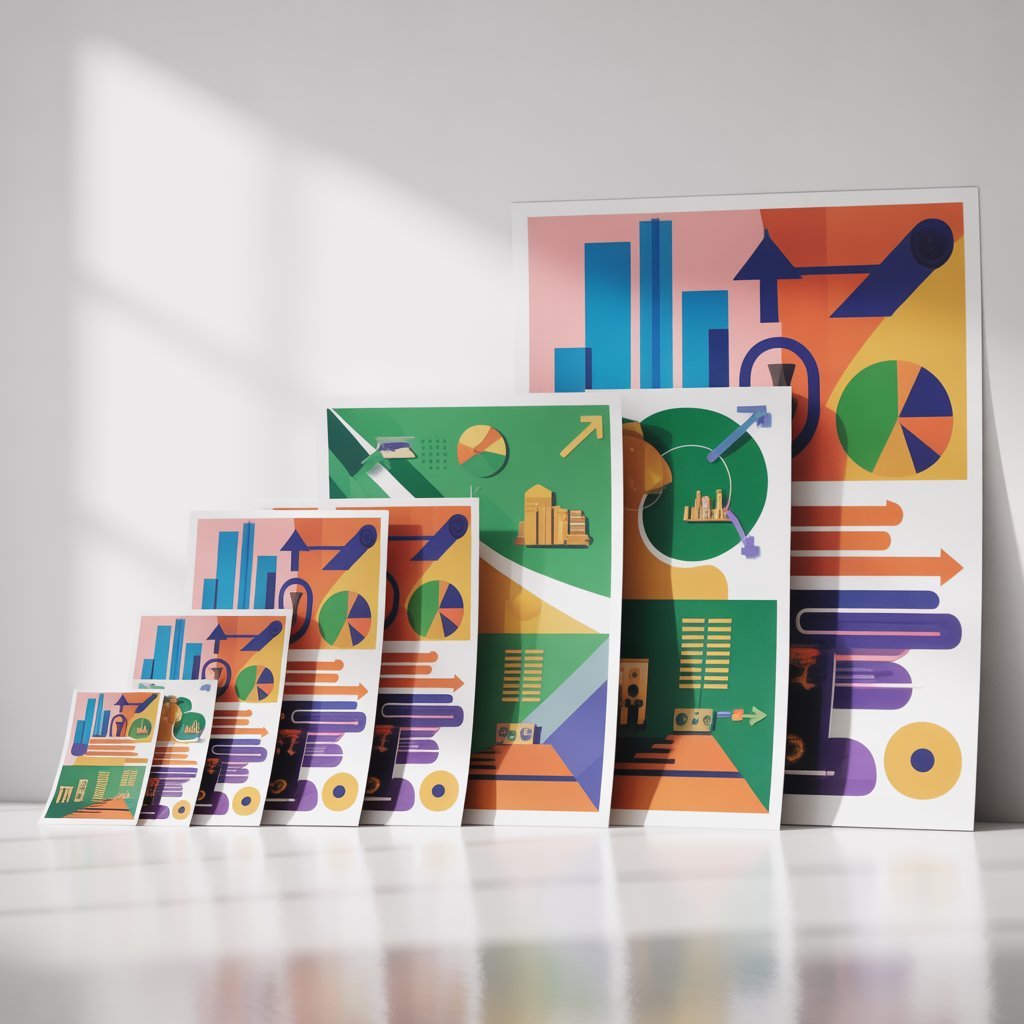
We specialise in printing infographic posters for students, educators, businesses, and designers. Whether you need a bold visual display for a university presentation, a classroom wall chart, a marketing campaign, or an office data dashboard, we deliver professional results every time. Expert printing with vibrant, accurate colours and razor-sharp graphics that make every infographic pop. Order by 2pm for same-day printing with free protective tube and nationwide delivery.




Trusted by students at:
- UCL
- OXFORD
- CAMBRIDGE
- IMPERIAL
- KING’S
- LSE
- MANCHESTER
- EDINBURGH
Choose Your Poster Size
Professional Infographics Poster Printing for UK Students/Companies
Why Choose Us for Your Infographic Poster Printing?
Colour Accuracy for Visual Content
Infographic posters live and die by colour. A washed-out palette or inaccurate brand colours undermine the impact of even the best design. Our professional Epson printers are calibrated weekly to ensure the colours you designed on screen match what comes off the press. Whether you’re printing bold brand gradients for a marketing campaign, pastel educational charts for a classroom, or vivid data visualizations for a university presentation, every colour reproduces exactly as intended. We use genuine archival inks — not cheap third-party substitutes — for consistent, professional results every print.
Sharp Graphics & Fine Detail
Infographic designs are often rich in fine detail — small icons, thin lines, micro-typography, and intricate data graphics. We print at high resolution to ensure every element of your infographic poster is crisp and readable at full size. Our quality control team reviews every file before it goes to press, checking for pixelated images, font rendering issues, and low-resolution graphics that would look blurry when enlarged. If we spot anything that could affect your print quality, we contact you before printing — not after.
Fast Turnaround for Tight Deadlines
Presentations, events, and campaigns don’t wait. Order by 2pm and your infographic poster is printed the same day and dispatched within 24 hours. We’ve helped students print the night before a university presentation, businesses meet event deadlines, and educators get classroom displays ready in time for the new term. Choose next-day courier delivery at checkout to receive your poster by 10:30am the following morning anywhere in mainland UK.
Who We Print For
We print infographic posters for a wide range of clients: university students presenting data-heavy research in visual format, teachers creating engaging classroom wall displays, businesses communicating processes and statistics for offices and events, charities and NGOs visualizing impact reports, designers and agencies producing large-format print work for clients, and healthcare organizations explaining procedures and guidelines. We accept university purchase orders and provide full invoices. Every order arrives safely packed in a free sturdy cardboard tube.
Built for Creators & Communicators

Same-Day Printing
Order before 2pm and we’ll print your poster the same day. Perfect for last-minute assignment deadlines, event preparations, and campaign launches. Next-day tracked delivery available across the entire UK.
Next-Day UK Delivery
Free standard delivery on all orders. Need it faster? Our next-day delivery service gets your infographic poster to you anywhere in the UK — ideal for time-sensitive events, presentations, and exhibitions.
Premium Quality Printing
Printed on professional Epson printers with genuine inks. Your infographic deserves to look its best at full size — vivid colours, pin-sharp text and icons, and accurate gradients from edge to edge.
Easy Upload
Simply upload your infographic as a PDF, JPG, PNG, or Illustrator file. We accept files up to 500MB and automatically check dimensions and resolution before printing. Works seamlessly with files from Canva, Adobe Illustrator, InDesign, PowerPoint, and all major design tools.
Student-Friendly Prices
We know budgets are tight. All prices include Standerd Delivery with no hidden fees — what you see is what you pay. We also offer bulk discounts for teachers ordering classroom sets, businesses printing multiple display posters, and students printing several versions.
Proof Confirmation
Worried about how your design will look at full size? We can send you a digital proof before printing so you can check colours, text size, and graphic clarity. Simply add a note to your order and we’ll email it across — completely free.
How It Works
Choose Your Paper
What Our Customers Say


Frequently Asked Questions
The right size depends on where and how it will be displayed. A0 (841 × 1189 mm) makes the biggest visual impact and is ideal for exhibition spaces, large event walls, and public displays where viewers will be standing several metres away. A1 (594 × 841 mm) is the most versatile — perfect for classroom walls, office displays, and conference presentations. A2 (420 × 594 mm) suits smaller notice boards, meeting room displays, and handouts. If your infographic contains lots of fine detail or small text, always go larger — it’s much easier to read.
For large-format poster printing, aim for 150–300 DPI at actual print size. If you’re designing in Canva, choose the ‘Custom Size’ option and set your dimensions to the exact poster size in centimetres before designing — this ensures the design scales properly. In Illustrator or InDesign, design at A0 or A1 actual size. Common mistake: designing at A4 size and then scaling up — this results in blurry, pixelated output at A0. Vector elements (text, icons, shapes drawn in Illustrator or Canva) are resolution-independent and always print sharply at any size. Only raster images (photos, textures) need to meet the 150–300 DPI requirement.
Our calibrated printers reproduce colours very accurately from properly prepared files. A few things to be aware of: screens display in RGB light (which can look brighter and more saturated than print), while printing uses CMYK inks. Most infographic tools including Canva, Illustrator, and InDesign manage this conversion automatically. Very bright neon or fluorescent colours may appear slightly more muted in print — this is a physical limitation of ink, not a printer issue. If colour accuracy is critical (e.g. brand colours), request a digital proof or order a small test print first. We print what’s in your file — our calibrated printers don’t add warmth or shift hues.
Same-day printing is available on all orders placed by 2pm Monday to Friday — your poster will be printed and dispatched the same day. Standard delivery (free on all orders) takes 2–3 working days. Next-day delivery (£5.99) delivers by 10:30am the following morning across mainland UK. We deliver to all UK addresses including university campuses, business addresses, and residential. All posters are rolled and shipped in a free sturdy protective cardboard tube to prevent damage in transit.
Yes, we handle bulk orders regularly for teachers ordering classroom sets of the same display poster, businesses ordering multiple different infographic designs for office displays, event organisers needing large quantities for venue decoration, and designers ordering batches for clients. You can add multiple quantities of the same design using the quantity selector, or place separate orders for different designs. For large bulk orders (10+ posters) or orders needing coordinated delivery timing, email us at orders@academicposter.uk for a custom quote and to discuss your specific requirements.
PDF is always our first recommendation — it preserves your fonts, vector graphics, and colour profiles exactly as designed. Export from Canva, Illustrator, InDesign, or PowerPoint using ‘Print Quality’ or ‘High Resolution’ settings. PNG works well for image-based designs with transparent backgrounds. JPG is acceptable but use maximum quality settings when saving (quality 10 or 12 in Photoshop). Avoid saving as JPG multiple times as each save degrades quality. We also accept TIFF and AI (Illustrator) files. Maximum file size: 500MB.
Yes, we print from Canva files regularly. Here’s how to get the best result: In Canva, go to File → Download → PDF Print (not ‘PDF Standard’). Tick ‘Crop marks and bleed’ if your design goes edge to edge. Make sure your Canva document is set to the actual poster size you want printed (e.g. 84.1 × 118.9 cm for A0) before designing. If you designed in a different size (e.g. A4) and scaled up in Canva, image quality may suffer — we’ll flag this in our quality check if it’s a concern.
For maximum colour impact, Standard Satin (180gsm) is our top recommendation — the semi-gloss finish enhances colour vibrancy and keeps fine details sharp. If your infographic will be displayed under bright overhead lighting or near windows, Standard Matte eliminates glare without sacrificing colour quality. For a premium finish on client-facing or high-profile displays, upgrade to Premium Satin (200gsm) for noticeably richer colours and a more substantial feel. Plain Paper is not recommended for colour-heavy infographic designs as colour reproduction is significantly inferior.
Only if your design goes right to the edge of the poster (a ‘full bleed’ design with no white border). In that case, extend your background colour or image 3mm beyond the poster edge on all sides — this is the ‘bleed area’ that gets trimmed off, ensuring no white strip appears at the edges. Keep all important text and elements at least 5mm inside the poster edge to avoid them being trimmed. If your design has a white border or margin (most infographic layouts do), bleed is not needed — just submit at the exact poster dimensions.