

Guides
How to Make an A0 Poster in LaTeX (beamerposter and tikzposter)

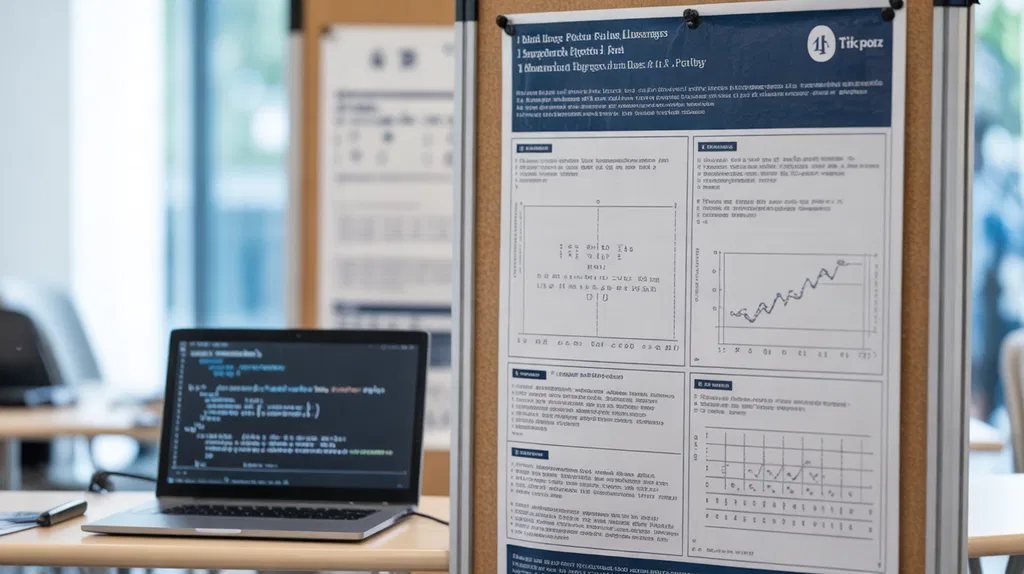
How to Make an A0 Poster in LaTeX (beamerposter and tikzposter)
LaTeX is a great way to make a research poster if your work is full of equations, or if you already write your thesis in it. This guide shows how to set up an A0 page with tikzposter or beamerposter, which font sizes to use, how to handle figures, and how to check your PDF so it prints sharp.
Quick answer
For most people, tikzposter is the easiest way to make an A0 poster in LaTeX: start with \documentclass[25pt, a0paper, portrait]{tikzposter} and add your content in blocks. If you already know Beamer, use beamerposter with size=a0 instead. Compile to a PDF that is exactly 841 × 1189 mm, use PDF (vector) charts or photos at 300 DPI, and check every page element at 100% zoom before you send it for printing.
LaTeX A0 poster at a glance
- 841 × 1189 mmA0 portrait page size of your final PDF
- 25pttikzposter base font for A0 (20pt for A1)
- size=a0beamerposter option for an A0 page
- 300 DPIfor photos; charts as PDF stay sharp at any size
- PDFthe file you upload for printing
01 / 08Which LaTeX poster package to use
| tikzposter | beamerposter | |
|---|---|---|
| Best for | Most first-time LaTeX posters | People who already use Beamer slides |
| Set-up | Its own document class | A package on top of Beamer |
| Content goes in | \block{Title}{Text} | block environments inside one frame |
| Columns | \column{0.5} | column environments |
| Look | Built-in themes such as Default, Simple, Rays and Wave | Beamer poster themes, often from your university |
Both make a normal PDF that any poster printer can use. If your university or research group has a LaTeX poster template, use it: it will already have the right logos and colours.
02 / 08Overleaf or your own computer
You can write your poster in Overleaf, which runs in your web browser and has a free plan and a gallery of ready-made poster templates. Or install LaTeX on your own computer (TeX Live on Windows and Linux, MacTeX on a Mac) and use any editor you like.
Tip: start from a poster template rather than an empty file. It saves time on layout so you can spend it on your content.
03 / 08Set up an A0 poster with tikzposter
\documentclass[25pt, a0paper, portrait]{tikzposter}
\title{Your Poster Title}
\author{Your Name, Second Author}
\institute{Your University}
\usetheme{Simple}

\begin{document}
\maketitle
\begin{columns}
  \column{0.5}
  \block{Introduction}{Your text here.}
  \block{Methods}{Your text here.}
  \column{0.5}
  \block{Results}{Your charts here.}
  \block{Conclusion}{Your key message.}
\end{columns}
\end{document}
The options in the first line set the base font size (25pt), the paper size (a0paper) and the orientation. For an A1 poster, change a0paper to a1paper. Column widths are fractions of the page, so 0.5 + 0.5 gives two equal columns; 0.33 three times gives three.
04 / 08Set up an A0 poster with beamerposter
\documentclass{beamer}
\usepackage[orientation=portrait,size=a0,scale=1.4]{beamerposter}

\begin{document}
\begin{frame}{}
\begin{columns}[t]
  \begin{column}{.45\linewidth}
    \begin{block}{Introduction}
      Your text here.
    \end{block}
  \end{column}
  \begin{column}{.45\linewidth}
    \begin{block}{Results}
      Your charts here.
    \end{block}
  \end{column}
\end{columns}
\end{frame}
\end{document}
The whole poster sits inside one frame. size=a0 sets the page, and scale makes every font larger or smaller in one go. Without the beamerposter line, Beamer makes small slide-sized pages, so check it is there.
05 / 08Font sizes and layout
| Setting | A0 poster | A1 poster |
|---|---|---|
| tikzposter class option | 25pt | 20pt |
| Body text you are aiming for | 24–32 pt | 18–24 pt |
| Columns | 2–3 | 2 |
| Words in total | 300–800 | 300–800 |
tikzposter offers 12pt, 14pt, 17pt, 20pt and 25pt; titles and headings scale up from that. Avoid shrinking text with \small or \footnotesize to squeeze more in: cut words instead. Our academic poster font size guide explains the sizes in more detail.
06 / 08Figures and images
- Charts: save them from R, Python (matplotlib) or MATLAB as PDF, not PNG. PDF charts are vector, so lines and labels stay sharp at A0.
- Photos and microscope images: aim for 300 DPI at the size they appear on the poster. See our poster DPI guide.
- Logos: use PDF, SVG (converted to PDF) or a large PNG. A logo copied from a website is usually too small.
- tikzposter: put images inside a tikzfigure environment; the normal figure environment does not work in tikzposter.
07 / 08Compile and check your PDF
- Compile with pdfLaTeX (or XeLaTeX/LuaLaTeX if your template needs it) and open the PDF.
- Check the page size in your PDF viewer (File → Properties): it should be 841 × 1189 mm (about 33.1 × 46.8 inches) for A0 portrait.
- Zoom to 100% and look at every chart, photo and logo for blurriness.
- Look for text that runs out of a block or off the page; LaTeX warns about this as an “Overfull box”.
- Print one page on A4 and read it from about 50 cm away: if you can read the body text, it will be readable at A0.
A0 · 841 × 1189 mm
| Standard | Free · 2–3 working days |
| Royal Mail Tracked 24 & Signed | £6.99 · usually 1–2 working days |
| DPD Next Day | £9.99 · next working day |
| Royal Mail Special Delivery | £12.99 · next working day by 1PM |
08 / 08Common LaTeX poster mistakes
- Wrong page size: forgetting a0paper or size=a0 and getting an A4 or slide-sized PDF.
- Tiny references: \tiny text that nobody can read from a metre away.
- Low-resolution screenshots of charts instead of PDF exports.
- Too much text: a poster is not a paper. Aim for one clear message and 300–800 words.
- Red and green together in charts; see our colour-blind safe palettes.
When your PDF passes these checks, it is ready to upload. Order before 12PM (Monday–Friday) and we print it the same day.
Frequently asked questions
Is tikzposter or beamerposter better for an academic poster?
tikzposter is usually easier for a first LaTeX poster because content goes into simple blocks and it has built-in themes. beamerposter is a good choice if you already use Beamer or your university has a Beamer poster theme. Both produce a PDF you can print.
What font size option should I use for an A0 poster in tikzposter?
Use 25pt, the largest class option, for an A0 poster. For A1, 20pt works well. Titles and headings scale up from that base size automatically.
How do I make an A1 poster in LaTeX?
In tikzposter, change a0paper to a1paper in the documentclass line. In beamerposter, change size=a0 to size=a1. Check the PDF page size afterwards: A1 is 594 × 841 mm.
Can I make a LaTeX poster in Overleaf?
Yes. Overleaf runs in your browser, has a free plan and includes poster templates for both tikzposter and beamerposter. Download the compiled PDF when you are finished.
How do I get my LaTeX poster printed?
Compile to PDF, check the page size is 841 × 1189 mm for A0 and that images are sharp, then upload the PDF on our A0 poster printing page. Orders before 12PM, Monday to Friday, are printed the same day on 260gsm satin or matte paper.
Sources and further reading
- Posters (LaTeX documentation) Overleaf
- tikzposter – Create scientific posters using TikZ CTAN, the Comprehensive TeX Archive Network
- beamerposter – Extend beamer and a0poster for custom sized posters CTAN, the Comprehensive TeX Archive Network
- What font size should an academic poster be? Our guide to font sizes for A0 and A1
- Poster DPI guide Our guide to sharp images at print size
Keep reading

One thought on “How to Make an A0 Poster in LaTeX (beamerposter and tikzposter)”