

Guides
What to Include on a Research Poster: Sections, Word Counts and Layout

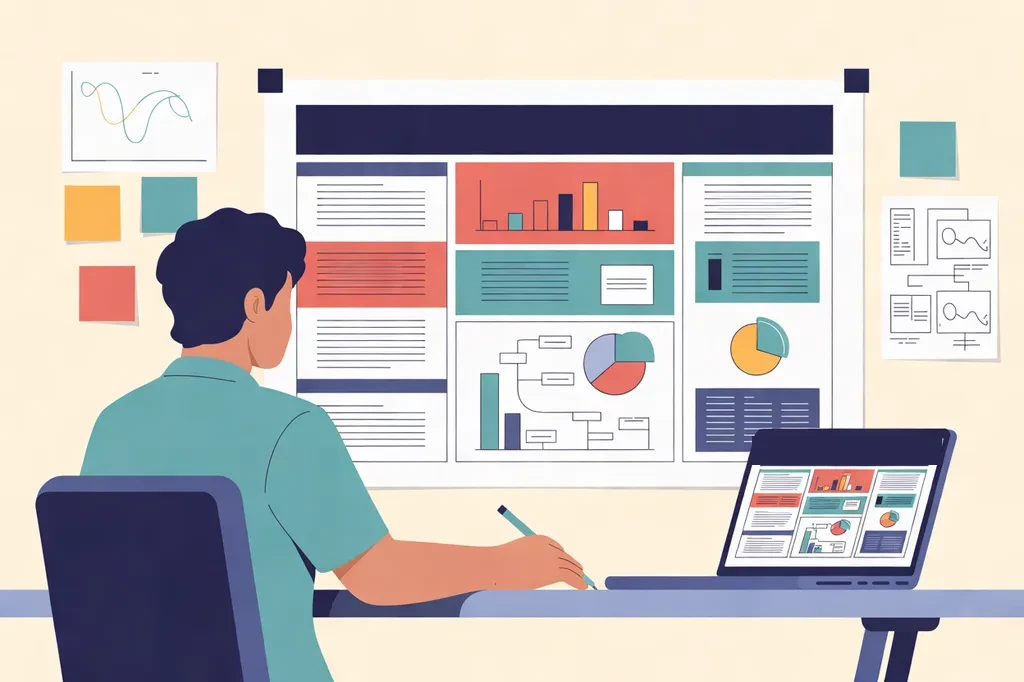
Quick answer: A research poster usually includes a title, authors and affiliations, an introduction, aims or research question, methods, results, a conclusion, and references and acknowledgements, plus a QR code or contact details. Keep the whole poster to about 300 to 800 words, give the results the most space, and lay it out in 3 columns on an A0 portrait poster or 4 columns on A0 landscape.
Most visitors spend only a minute or two at each poster, so every section has to earn its place. This guide explains what to put in each section of a research poster, how many words to use, and how to arrange it all on the page. For the full design and printing process, see our step-by-step guide on how to make an academic poster.
The sections of a research poster at a glance
| Section | What it does | Suggested length |
|---|---|---|
| Title | Says what the poster is about, or states the main finding | Under 15 words |
| Authors and affiliations | Names, university or department, and logos | One or two lines |
| Introduction | Why the work matters and what gap it fills | 50–100 words |
| Aims or research question | What you set out to find | 20–40 words |
| Methods | How you did it, in brief | 50–150 words, or a flow diagram |
| Results | What you found, led by charts and images | 100–250 words plus figures |
| Conclusion | The main message and why it matters | 50–100 words |
| References and acknowledgements | Key sources, funders and collaborators | 3–5 references, small text |
| QR code and contact | Lets people find the paper or reach you later | One short line |
The word counts are a guide, not a rule. If your conference gives its own template or section list, follow that first.
What to include in each section
Title
Keep the title short and specific, ideally under 15 words. A title that states the finding, such as “Daily outdoor play improves attention in Year 3 pupils”, works better than a vague one such as “A study of outdoor play”. Put the authors, affiliations and university logos just below it.
Abstract: do you need one?
Often not. Your abstract is usually already printed in the conference programme, so many poster guides suggest leaving it off and using the space for results. Include it only if the conference asks for one on the poster.
Introduction
Explain the problem in two or three sentences: what is already known, what is missing, and why it matters. Visitors from other fields should be able to follow it, so keep jargon and acronyms to a minimum.
Aims or research question
State clearly what you set out to find, in one or two sentences or a short bulleted list. Some posters combine this with the introduction, which is fine if space is tight.
Methods
Give only what someone needs to understand and trust your results: the design, the sample or materials, and the main steps or analysis. A flow diagram, timeline or photo of the set-up often explains this faster than a paragraph. Leave the full detail for your paper or handout.
Results
This is the heart of the poster and should take up the most space. Lead with two to four clear charts, tables or images, each with a short caption that says what it shows. Put the key numbers in the text, highlight your main result, and remake any graphs copied from a paper so the labels are large enough to read from a metre or two away.
Conclusion
Repeat your main message in plain words, then add what it means in practice and any next steps. Many visitors read the title and the conclusion first, so place the conclusion where it is easy to find, often at the top or bottom of the right-hand column.
References and acknowledgements
Include only the three to five references you cite on the poster, in a smaller font at the bottom. Thank your funders, supervisors and collaborators in one or two lines, and add funder logos if your grant requires them.
QR code and contact details
Add your email and a QR code that links to your paper, a PDF of the poster or your profile page. On A0, make the QR code about 8 to 10 cm wide and label it, for example “Scan for the full paper”.
How to lay out a research poster
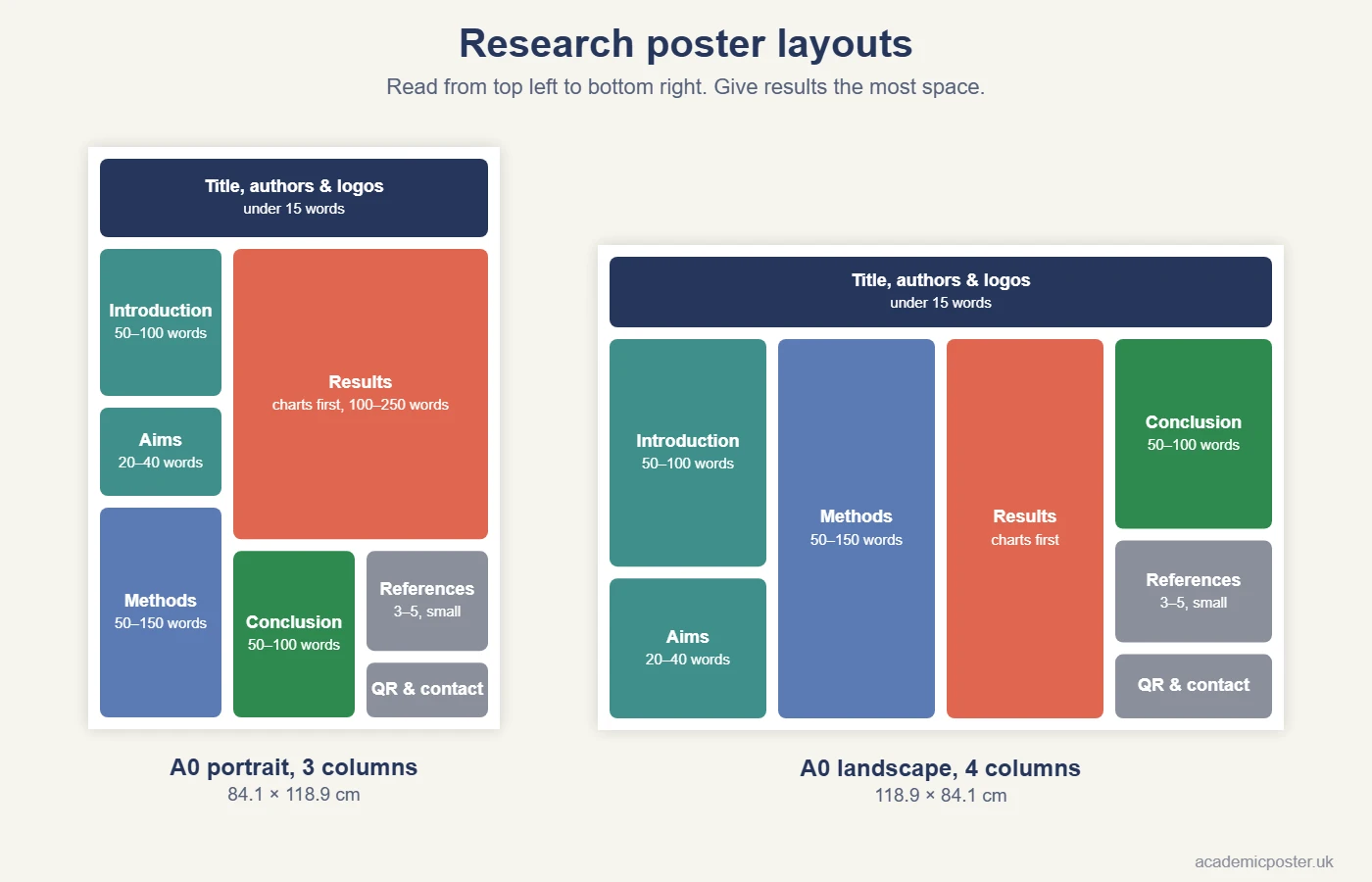
People read a poster in columns, from top left to bottom right, so arrange your sections in that order:
- A0 portrait (84.1 × 118.9 cm): 3 columns works best. Put the introduction, aims and methods in the left column, the results across the middle and right, and the conclusion, references and QR code at the bottom right.
- A0 landscape (118.9 × 84.1 cm): 4 columns, with introduction and aims, then methods, then results, and the conclusion, references and QR code on the far right.
- Leave white space between sections and around the edges. A crowded poster is harder to read, not more impressive.
- Use headings of 36–48pt on A0 so visitors can jump straight to the section they want.
Check whether your conference wants portrait or landscape in our UK conference poster sizes guide, and see A0 vs A1 if you have a choice of size.
How many words should a research poster have?
Aim for roughly 300 to 800 words in total. If the text does not fit with body text of at least 24pt on A0, cut words rather than shrinking the font. Our academic poster font size guide gives the sizes to use for every part of the poster.
Quick ways to cut words:
- Turn long paragraphs into three or four bullet points.
- Replace a description of your method with a flow diagram.
- Let a chart show the result, and use the text only for the key numbers.
- Move extra detail to a handout or the page your QR code links to.
Common mistakes with poster content
- Pasting in the paper. A poster is a summary, not the full article.
- Too little space for results. The results should be the biggest section.
- A hidden conclusion. Make the main message easy to find in seconds.
- Tiny chart labels and captions. Keep them at least 18pt on A0.
- Too many references. Three to five is usually enough.
- No way to follow up. Add an email address and a QR code.
When the content is ready, build it in PowerPoint, Canva or Google Slides, run through our academic poster checklist, and read our tips on how to present a poster at a conference.
Ready to print your research poster?
Upload your PDF to our A0 poster printing page. A0 posters start at £34.99 and A1 at £29.99, printed on 260gsm matte or satin paper and rolled in a protective tube. Delivery is free across the UK, orders placed before 12PM (Monday to Friday) are printed the same day, and next-day delivery is available if your conference is close.
Frequently asked questions
What should be included on a research poster?
A title, authors and affiliations, an introduction, aims or research question, methods, results, a conclusion, references and acknowledgements, and a QR code or contact details.
How many words should a research poster have?
About 300 to 800 words in total. The results section should take the most space, with most of it shown as charts, tables or images rather than text.
Should a research poster include an abstract?
Usually not. The abstract is normally printed in the conference programme, so many guides suggest using that space for results. Include one only if the conference asks for it.
What is the best layout for an A0 research poster?
Use 3 columns on A0 portrait or 4 columns on A0 landscape, read from top left to bottom right, with the results in the largest space and the conclusion easy to find.
Where should the conclusion go on a research poster?
Usually at the top or bottom of the right-hand column, where readers finish. Make it stand out, because many visitors read the title and conclusion first.
